Note!
Please check your device's user manual or contact our technical support if you are unsure whether or not a user is allowed to change the device's SIM card
E.g. Artemis and other newer devices will void the warranty if the pre-installed SIM card is replaced by the user!
1.
- Insert the new SIM card in your phone first
- Deactivate the PIN code request
- Test that calls and internet connection work ok
2.
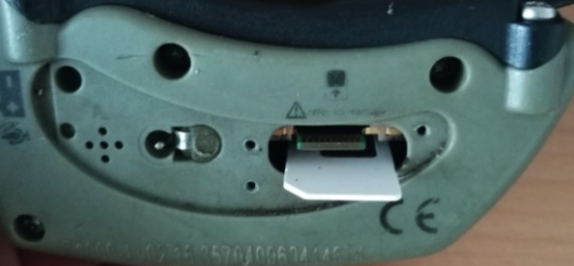
- Insert the SIM card to Tracker GPS device with the bevelled corner facing outwards and the contact surfaces facing the side of the GPS device that is against the dog's neck
- When attaching the protective cover after replacing the SIM card, be careful not to turn the screws so tight that they split the cover
- Also make sure that there is no debris, hair, etc. left between GPS device and the attached protective cover, that could affect the watertightness
3.
- When the SIM card is in place and the protective cover is attached, take the collar out, switch power on and leave it on for about 5 minutes
The protective cover is attached with three Torx-6 screws
It is not permitted to change the SIM-card for Tracker Artemis GPS device